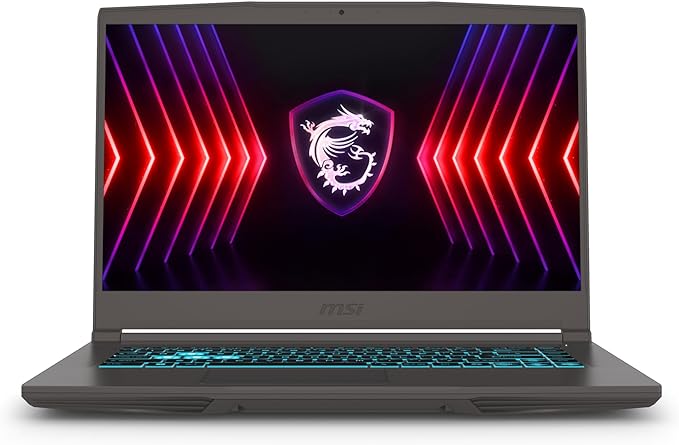
MSI Thin A15 B7UC-473US (15.6" FHD 144Hz, Ryzen 5 7535HS, RTX 3050, 16GB RAM, 512GB SSD, Windows 11)
* Price is based on the Amazon price at the time of writing and may change over time.
Quick Summary
Buy if:
Buy the Thin A15 B7UC-473US if your priority is budget-friendly 1080p gaming with a fast-refresh display, and you mostly play plugged in (or don’t mind using a cooling pad).
Skip if:
Skip if you’re sensitive to heat/fan noise or need a laptop that lasts through long classes/workdays on battery—consider an RTX 4050 model with better efficiency and thermals.
Should You Buy It?
✓ Good For
Buy the Thin A15 B7UC-473US if your priority is budget-friendly 1080p gaming with a fast-refresh display, and you mostly play plugged in (or don’t mind using a cooling pad).
✗ Not For
Skip if you’re sensitive to heat/fan noise or need a laptop that lasts through long classes/workdays on battery—consider an RTX 4050 model with better efficiency and thermals.
📊 Specifications
▼-
Display
15.6″ FHD (1920×1080) 144Hz, IPS-level
-
Processor
AMD Ryzen 5 7535HS (6 cores / 12 threads, up to 4.55GHz)
-
Memory
16GB DDR5-4800 (2 slots, up to 64GB)
-
Storage
512GB M.2 NVMe PCIe SSD (1× M.2 slot, PCIe Gen4 support)
-
Graphics
NVIDIA GeForce RTX 3050 Laptop GPU 4GB GDDR6 (up to 45W) + AMD Radeon 660M iGPU
-
Wireless
Wi‑Fi 6E (802.11ax) + Bluetooth 5.3, Gigabit LAN
-
I/O
1× USB‑C (USB 3.2 Gen2 / DisplayPort / Power Delivery 3.0), 3× USB‑A (USB 3.2 Gen1), 1× HDMI 2.1, 1× RJ45 (GbE), 1× Mic-in, 1× Headphone-out
-
OS
Windows 11 Home
Some third-party listings for this exact SKU may misreport the RAM type (DDR4 vs DDR5). MSI’s Thin A15 B7UC platform spec lists DDR5-4800; confirm the exact configuration with the seller for the B7UC-473US before purchase.
Pros & Cons
Advantages
Great 1080p value: Ryzen 5 7535HS + RTX 3050 is a capable combo for esports and everyday productivity.
144Hz FHD display: smoother motion and better responsiveness for competitive games.
Modern connectivity: USB‑C with DisplayPort + Power Delivery, HDMI 2.1, Wi‑Fi 6E, and Gigabit LAN.
Upgradeable design: dual RAM slots (up to 64GB) and an M.2 NVMe SSD slot.
Disadvantages
Runs hot under load: user feedback commonly mentions high temperatures during gaming—consider a cooling pad and good ventilation.
Battery life is a weak point: best treated as a mostly plug-in gaming laptop.
RTX 3050 limits AAA settings: expect 1080p medium settings (often with DLSS where available), not high/ultra in newer demanding titles.
Reliability feedback is mixed: some users report early failures; buy with a strong return policy and register warranty.
Who Is This For?
| Use Case | Rating | Notes |
|---|---|---|
| Office / Documents | Ryzen 5 + 16GB RAM handles Office apps and multitasking smoothly. | |
| Web Browsing | Plenty of CPU headroom and RAM for heavy tab use and web apps. | |
| Video Streaming | FHD panel with strong hardware decode support is great for YouTube/Netflix and general media. | |
| Video Calls | Functional for Zoom/Teams, but expect typical budget-laptop webcam/mic experience. | |
| Photo Editing | Good for hobbyist Lightroom/Photoshop; limited by display color coverage and midrange GPU. | |
| Video Editing | Usable for 1080p timelines and light projects; sustained rendering can increase heat and noise. | |
| Gaming | Strong for 1080p esports and many games at medium settings; 144Hz helps in competitive titles. | |
| Programming | 6C/12T CPU and 16GB RAM are solid for IDEs, local dev, and moderate builds. | |
| Quiet Operation | Budget thin gaming designs often get loud/hot under load; user feedback frequently mentions heat. | |
| Portability | Reasonably light for a 15.6-inch gaming laptop (~4.1 lb), but short battery life reduces true mobility. |
FAQ
Alternatives to Consider
Often a noticeable GPU jump over RTX 3050 for not much more money, improving AAA gaming longevity.
Typically stronger gaming performance and a more balanced chassis for sustained loads, depending on configuration.
A sturdier alternative line to compare—often better thermals, but configurations vary widely.
Final Verdict
Bottom Line
A strong budget 1080p gaming pick with a 144Hz screen and modern ports, but held back by heat, fan noise, and short battery life—plus mixed user reliability reports.
Recommended for: Budget gamers who mostly play plugged in and want smooth esports performance on a 144Hz display.