CPU vs GPU: What’s the Difference? Complete Beginner’s Guide [2026]
Confused about CPUs and GPUs? You’re not alone. When shopping for a new computer, these two components are among the most important—but also the most misunderstood. Whether you’re buying a PC for gaming, video editing, or everyday tasks, understanding the difference between CPU and GPU will help you make a smarter purchase.
In this beginner-friendly guide, we’ll break down exactly what each component does, show you how they work together, and help you figure out which specs you actually need based on how you’ll use your computer.
What Are CPU and GPU? The Simple Explanation
Think of your computer as a company with two key employees:
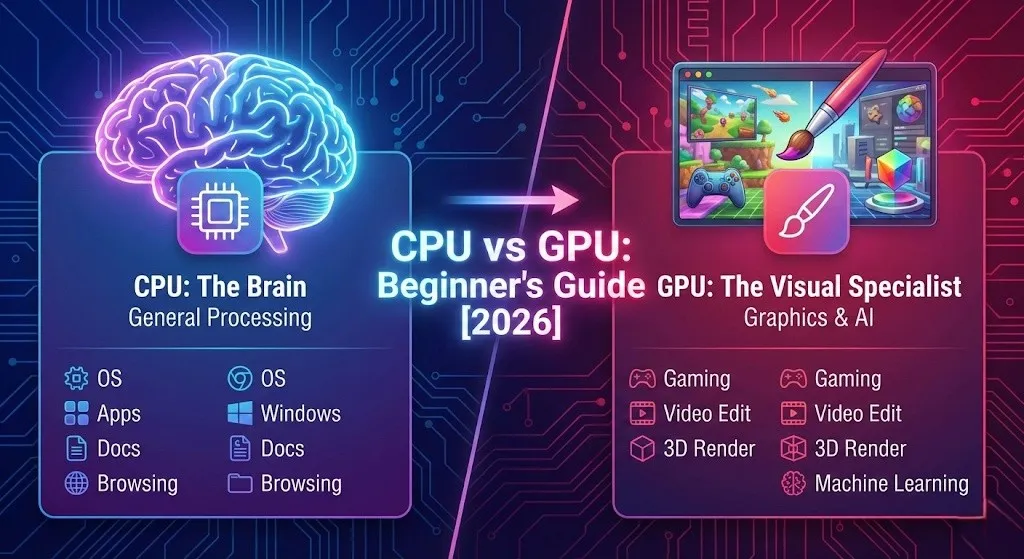
🧠 CPU (Central Processing Unit)
The Brain / General Manager
The CPU is your computer’s command center. It handles all the thinking, decision-making, and coordination. From running your operating system to executing applications, the CPU manages everything that happens on your PC.
🎨 GPU (Graphics Processing Unit)
The Visual Specialist
The GPU is a specialized worker that excels at one thing: processing visual data incredibly fast. It renders images, videos, 3D graphics, and handles thousands of small calculations simultaneously.
Here’s the Key Insight:
- For everyday computing (browsing, documents, email) → CPU performance matters most
- For visual-heavy tasks (gaming, video editing, 3D rendering, AI) → GPU performance is critical
- For most users → You need a balance of both, but your priorities should match your usage
Key Differences Between CPU and GPU
| Aspect | CPU | GPU |
|---|---|---|
| Primary Role | General-purpose processing | Parallel graphics processing |
| Core Count | 4-24 powerful cores | Thousands of smaller cores |
| Task Type | Complex, sequential tasks | Simple, parallel tasks |
| Best For | Multitasking, applications, OS | Gaming, video, 3D, AI/ML |
| Types | Intel Core, AMD Ryzen | NVIDIA GeForce, AMD Radeon |
CPU Performance Tiers Explained
Not sure what CPU you need? Here’s a simple tier system to help you understand where different processors fall:
| Tier | Example CPUs | Best For |
|---|---|---|
| A – Enthusiast | Intel Core i9-14900K, AMD Ryzen 9 7950X, Core i9-14900HX | Heavy workloads, content creation, streaming while gaming |
| B – High Performance | Intel Core i7-13700H, Core Ultra 7 155H, AMD Ryzen 7 7840HS | Gaming laptops, video editing, multitasking power users |
| C – Mainstream | Intel Core i5-13500H, Core i5-1340P, AMD Ryzen 5 7640U | Most users’ sweet spot—great for productivity and light gaming |
| D – Budget | Intel Core i5-1235U, Core i3-1215U, AMD Ryzen 5 5500U | Office work, web browsing, students |
| E – Entry Level | Intel N100/N200, Celeron, AMD Athlon Silver | Basic tasks, Chromebook alternatives, secondary PCs |
GPU Performance Tiers Explained
GPU choice is crucial for gaming and creative work. Here’s how graphics cards stack up:
| Tier | Example GPUs | Gaming Performance |
|---|---|---|
| A – Enthusiast | NVIDIA RTX 4070/4080/4090, AMD RX 7800 XT/7900 XTX | 1440p/4K gaming at high settings, ray tracing capable |
| B – High Performance | NVIDIA RTX 3060/4060, AMD RX 6600 XT/7600 | 1080p gaming at max settings (60-100+ FPS) |
| C – Mainstream | NVIDIA GTX 1660 Super, RTX 3050, AMD Radeon 780M (integrated) | 1080p gaming at high settings (45-60 FPS) |
| D – Basic | Intel Iris Xe, NVIDIA MX450, Qualcomm Adreno | 1080p gaming at medium settings (30-45 FPS) |
| E – Integrated | Intel UHD Graphics, older AMD Vega | Light/older games only, basic display output |
Which Do You Need? Use Case Guide
Match your primary use case to find the recommended CPU and GPU tiers:
| Use Case | CPU Tier | GPU Tier | Notes |
|---|---|---|---|
| 📧 Email & Web Browsing | D-E | E | Integrated graphics are fine |
| 📊 Office Work & Productivity | C-D | D-E | 16GB RAM recommended |
| 🎓 Students | C-D | D | Balance of portability and power |
| 🎮 Casual Gaming | C | C-B | Tier B for newer titles |
| 🎮 Competitive/AAA Gaming | B-C | B-A | GPU is the priority here |
| 📸 Photo Editing | C-B | C-D | Good display matters most |
| 🎬 Video Editing | B-A | B-C | GPU acceleration helps significantly |
| 🤖 AI/Machine Learning | B-A | A | NVIDIA GPUs preferred for CUDA |
| 💻 Software Development | B-A | D-C | 32GB RAM for VMs recommended |
| ✈️ Portability Priority | C | D | Integrated GPU saves battery |
| 🔋 Battery Life Priority | C-D | E | Avoid discrete GPUs |
Quick Decision Guide
- Don’t game at all? → Focus on CPU (Tier C), use integrated graphics
- Want to play AAA games at high settings? → Prioritize GPU (Tier B or A)
- Edit photos/videos occasionally? → Balanced setup (CPU: C-B, GPU: C-B)
- Need all-day battery? → Skip the discrete GPU, choose efficient CPU (Tier C-D)
- Do AI/ML work? → Strong GPU is essential (Tier A, preferably NVIDIA)
Frequently Asked Questions
Can integrated graphics (iGPU) handle gaming?
Yes, but with limitations. Modern integrated graphics like Intel Iris Xe and AMD Radeon 780M (found in Ryzen 7040/8040 series) can run many games at 1080p with low-to-medium settings. Esports titles like Valorant, League of Legends, and CS2 are playable. However, for AAA games at higher settings, you’ll need a dedicated GPU.
How much RAM do I need?
- 8GB: Minimum for basic tasks (not recommended in 2024+)
- 16GB: Sweet spot for most users—handles productivity, gaming, and light creative work
- 32GB: Recommended for video editing, development, or running virtual machines
- 64GB+: Professional workstations, heavy 3D rendering, large datasets
What about storage (SSD vs HDD)?
Always choose an SSD for your primary drive—it makes the biggest difference in everyday speed. For most users, 512GB SSD is the minimum. Consider 1TB if you store games, videos, or work with large files.
Is an external GPU (eGPU) worth it?
External GPUs can be a good option for laptop users who want desktop-class graphics at home. However, expect 15-30% performance loss compared to a desktop due to Thunderbolt bandwidth limitations. Also consider the cost: eGPU enclosure + graphics card can approach gaming laptop prices.
Intel or AMD—which is better?
Both make excellent processors. In 2024-2025, AMD Ryzen offers great efficiency and integrated graphics (especially the 7040/8040 series), while Intel excels in single-threaded performance and has strong brand recognition. For most users, either brand will serve well—focus on the performance tier rather than the brand.
NVIDIA or AMD for graphics cards?
NVIDIA dominates in AI/ML workloads and ray tracing, and has better software support (CUDA, DLSS). AMD offers excellent value for pure gaming performance. For gaming only, choose based on price-to-performance. For creative work or AI, NVIDIA is usually the safer choice.
🎯 The Bottom Line
CPU and GPU serve different purposes, and understanding their roles helps you make smarter buying decisions:
- CPU = General performance → Affects everything you do on your computer
- GPU = Visual performance → Critical for gaming, video editing, 3D work, and AI
- For everyday use: A good CPU (Tier C) with integrated graphics is sufficient
- For gaming/creative work: Invest in the GPU first, then match with an appropriate CPU
Don’t forget that RAM and SSD storage also significantly impact your experience—16GB RAM and a 512GB SSD should be your baseline in 2025.